Agent Mailboxes Now Hold Whole Conversations
Agent mailboxes used to show only what came in. Now every thread keeps both sides of the conversation, and you can reply or start a new one straight from the dashboard.
An agent mailbox is an email address your AI agent owns. People write to it, the agent picks up each message, deals with it, and marks it done. That part has worked for a long time. What was missing was the other half of any conversation: the answer.
Until this month, a reply your agent sent was not kept in the mailbox. You could see what the customer wrote, but not what went back. And when the customer replied to that answer, we could not tell which conversation it belonged to, so it showed up as a brand new one. I noticed this while answering our own support mail through the product, which is not the way you want to find out.
Both halves are fixed now. Here is what that looks like.
One row per conversation#
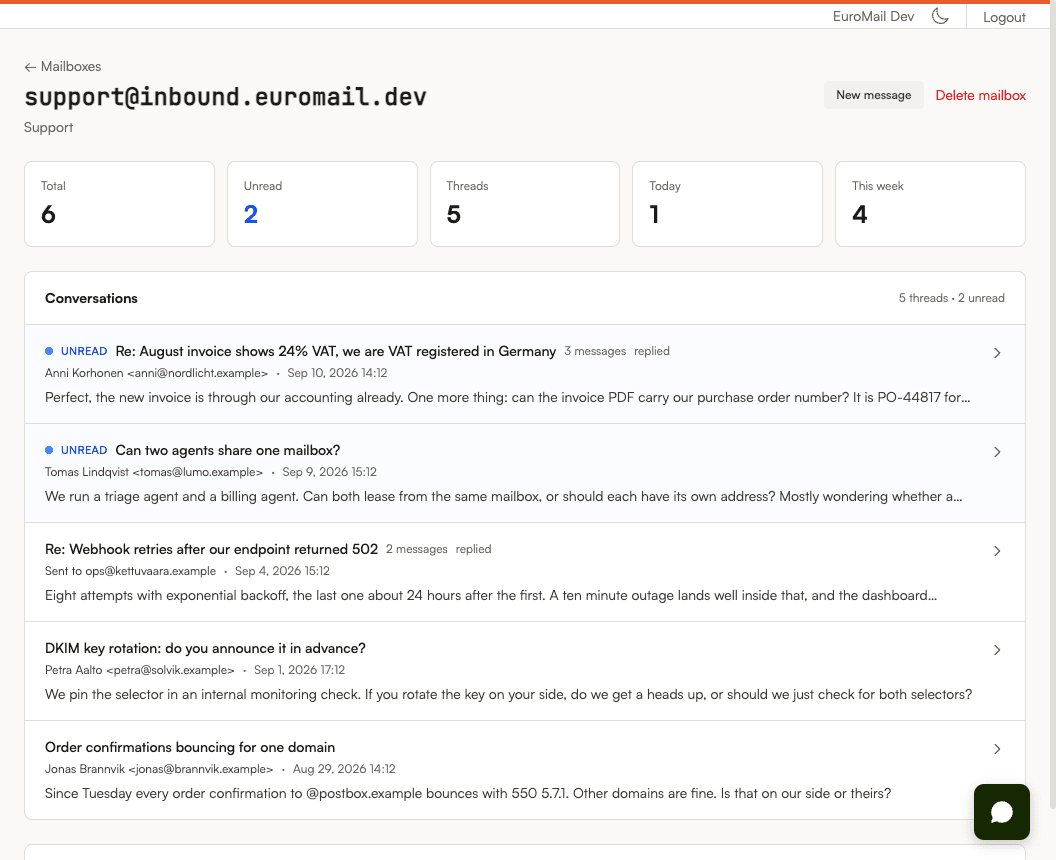
The mailbox page used to be a list of messages, newest first. If someone wrote three times, you saw three rows. Now each row is one conversation: who it is with, how many messages it holds, how many you have not read, whether you have replied, and when it last moved.
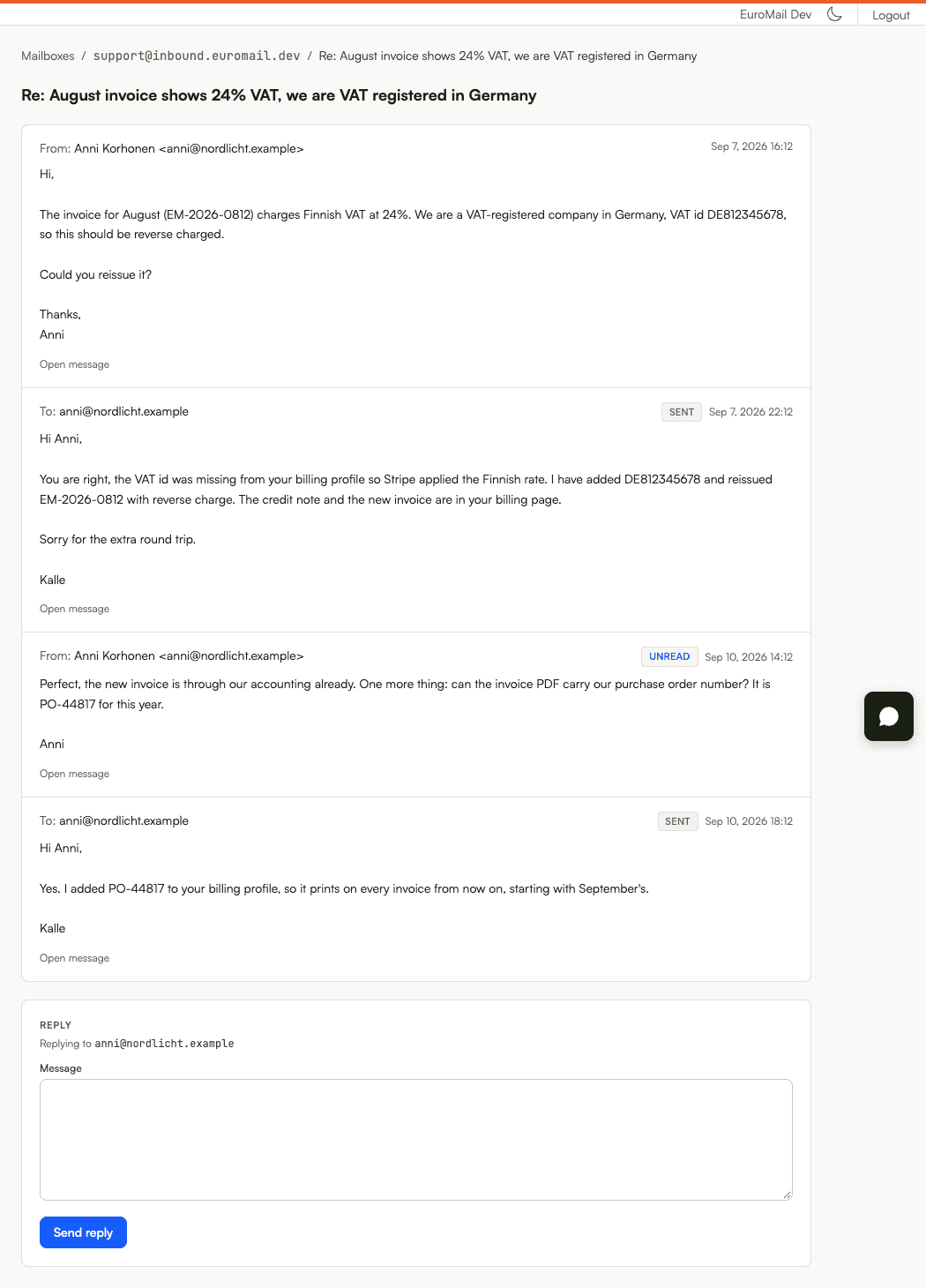
Open one and you get the whole exchange in order, both directions. Your replies sit in the same timeline as the customer's messages, marked as sent. At the bottom is a reply box, already addressed to the right person.
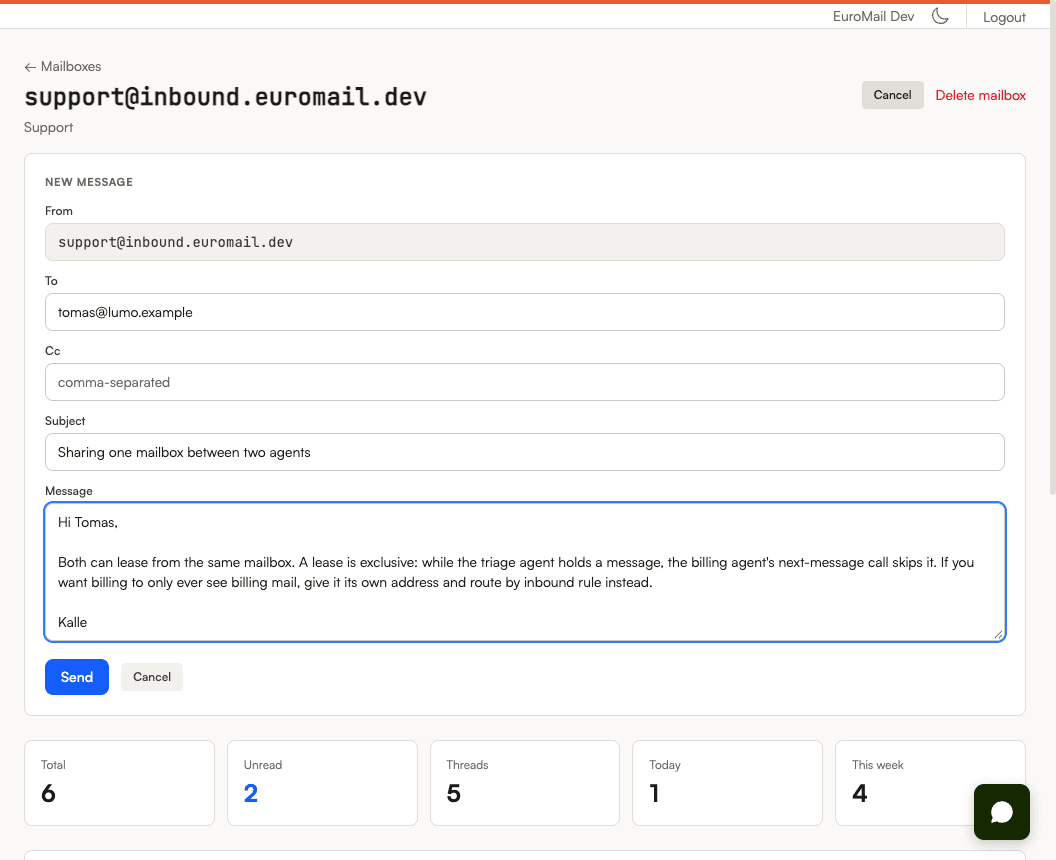
If you want to start a conversation rather than answer one, there is a "New message" button on the mailbox page.
Replying takes one box and one button#
A reply from the dashboard goes through exactly the same checks as any email you send through the API: your sending quota, your suppression list, the content scan, the scam classifier. We did not build a second, lighter path for the dashboard. In July a different part of the dashboard did have its own path, one that skipped those checks, and it cost us a bounce spike we are still a little sore about. So this time the dashboard hands the reply to the same machinery your API calls use, and nothing more.
Your agents get the same thing. A reply sent through the API is stored in the thread, and when the customer answers, the answer lands in that thread too. An agent never sees its own replies as new mail, so there is nothing to filter out.
Three things we were careful about#
You answer the message you are looking at. If a new message arrives in a conversation while you are typing, and it asks for replies to go somewhere else, your reply still goes where the page told you it would. We had a version where the reply target was picked at send time. We removed it.
A huge conversation cannot slow the page down. Email can be big. Some messages are tens of megabytes. The thread page shows the newest 200 messages with long bodies trimmed, and a trimmed message says so and links to the full one. You will never wait on a page because someone once sent a large attachment.
If we are not sure a reply went out, we say so. Most of the time a reply is either sent or refused, and the page tells you which and why. Once in a while the connection drops at the wrong moment and we cannot know. In that case the page says the outcome is unconfirmed, rather than "nothing was sent", because the second phrasing invites you to click again and send a duplicate.
What is next#
Two things are still on the list. First, a retry after an unconfirmed send can still send twice; we are adding a safeguard so it cannot. Second, team members with the Viewer role are blocked from sending in the dashboard, but that block does not yet extend to the API. Both are tracked and coming.
Try it#
If you already have an agent mailbox, open it in the dashboard and reply to something. If you do not, the Agent Mailboxes guide shows how to create one with a single API call.
Start sending GDPR-compliant email today
Create a free account and send your first email in minutes. Email storage and AI processing in Finland, with a DPA on every plan.