Inbound Email Now Tells You What Happened to It
Mail sent to an address with no route used to vanish. It now bounces, the refusal is listed in the dashboard with a one-click fix, and a route's webhook URL is finally called.
"I sent a test email and nothing arrived."
That message has come in more times than I want to count, and until this week the honest answer was that I had to go and read the server logs to find out why. Everything the customer could see said the setup was fine. Two things were wrong, and they were wrong in the same way: the product knew what had happened and did not say.
Mail with nowhere to go used to disappear#
If you sent a message to an address on your domain and no route matched it, we accepted the message, dropped it, and wrote a line in a log only we can read. The sending server was told the delivery had succeeded. So the sender believed the mail was delivered, you never saw it, and nothing anywhere connected the two.
Now the message is refused while the sending server is still connected:
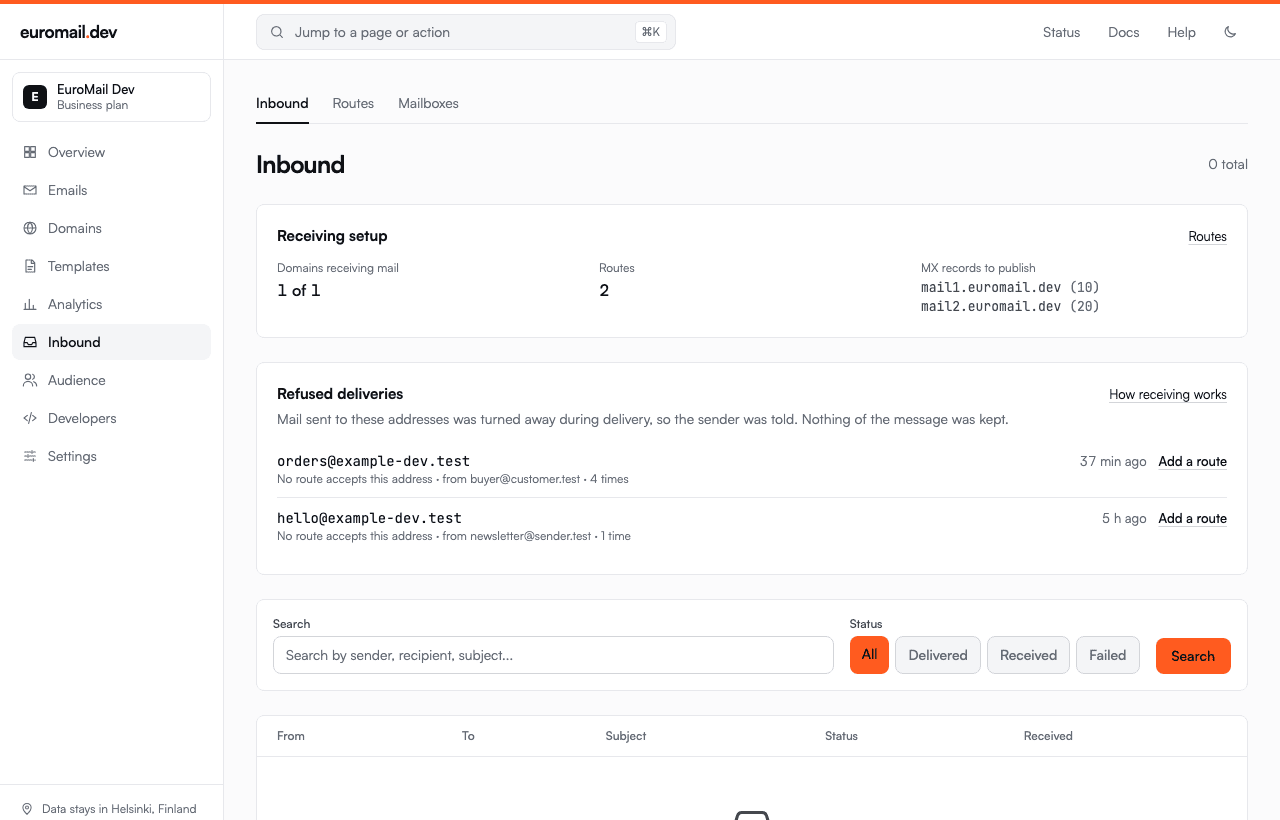
550 5.1.1 No such recipient hereThe sender gets a bounce naming the address, which is what a wrong address is supposed to produce. And the refusal shows up on your Inbound page, with the reason, who sent it, how many times, and a link that creates the missing route with the address already filled in.
There is one case where we deliberately do not refuse. If our own database cannot answer the question, the sender is told to come back later instead. A permanent refusal there would tell someone their correspondent does not exist because of a fault at our end.
We keep only the envelope and the reason. The message itself was never accepted, so there is no body or subject to store, and none is wanted.
The setup panel above it stays on the page now. It used to appear only while your inbox was empty, so the guidance vanished at exactly the moment something started going wrong.
Your route's webhook URL was never called#
This one is worse, and it had been true for a long time.
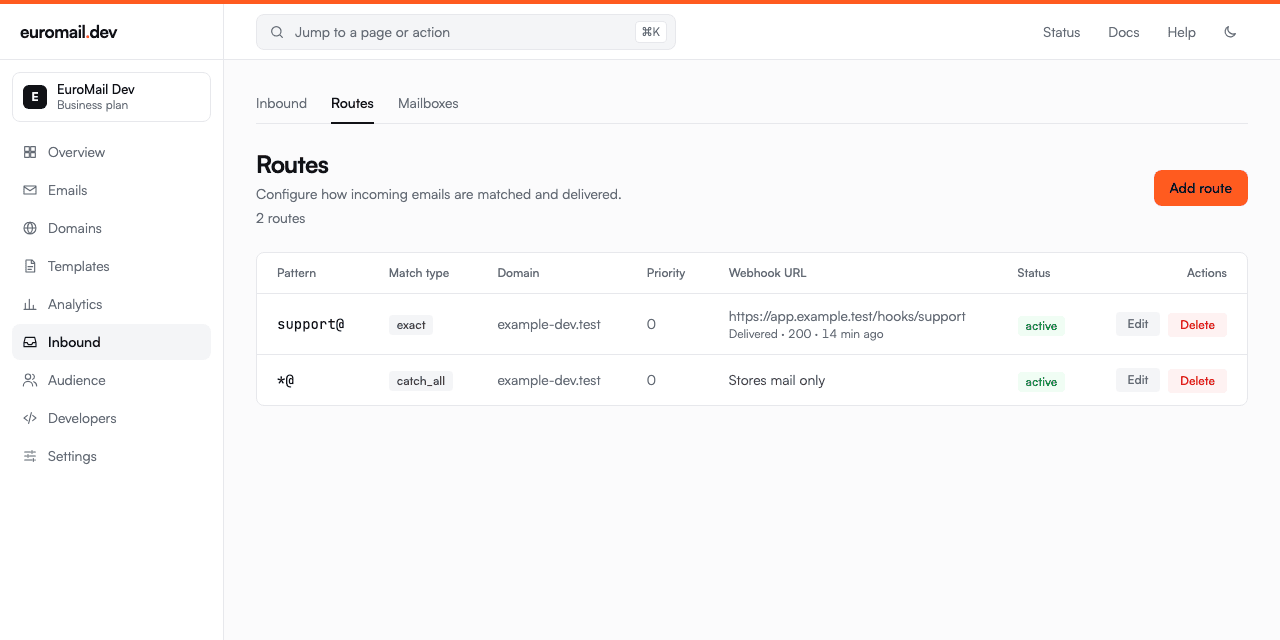
A route has a field for a webhook URL. We stored it, checked it, showed it in the table, and described it in the form as "matched emails will be POSTed to this URL". The delivery code read it as a yes-or-no flag and then sent the message to your account-level webhooks instead. If you set up a route pointing at your endpoint and never separately created an account webhook, nothing was delivered. Nothing said so.
The URL now belongs to a proper webhook: signed, retried, screened, and logged like every other endpoint. Change the URL and the endpoint moves. Clear it and the route goes back to storing mail only. Routes created while this was broken are repaired automatically.
Why this took so long#
Both bugs had the same shape: the system knew, and the screen did not say. A dropped message and a log line. A URL that looked configured and was never used. Nothing was broken loudly enough to notice, so the only signal was a customer writing in — which is the most expensive kind of monitoring there is.
If you have inbound set up, it is worth opening the Inbound page once. If anything has been turned away, it is listed there now, and the fix is one click.
Start sending GDPR-compliant email today
Create a free account and send your first email in minutes. Email storage and AI processing in Finland, with a DPA on every plan.